18/09/2026 22:12น.
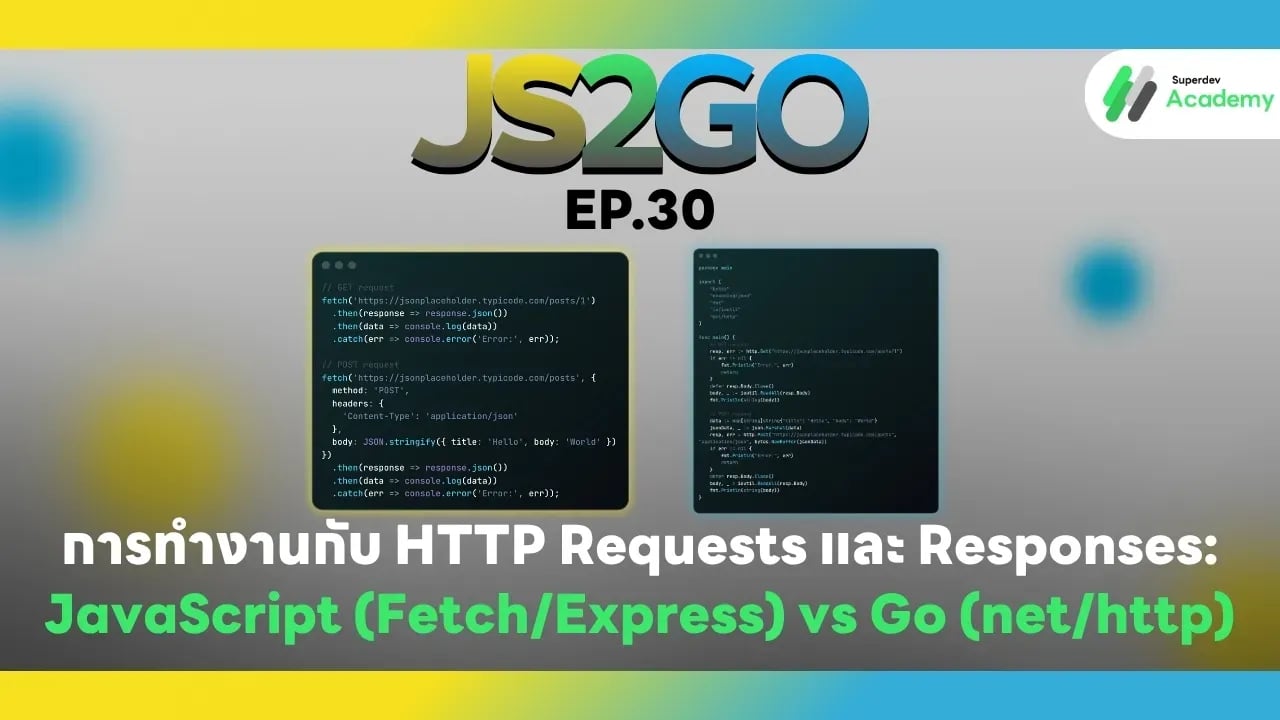
JS2GO EP.30 การทำงานกับ HTTP Requests และ Responses: JavaScript (Fetch/Express) vs Go (net/http)
#HTTP Requests
#HTTP Responses
#JavaScript Fetch
#Go net/http
#Golang
#JavaScript
HTTP เป็นโปรโตคอลสำคัญสำหรับการสื่อสารระหว่าง client และ server ไม่ว่าจะเป็นการสร้าง API หรือเว็บแอปพลิเคชัน ในบทความนี้เราจะเปรียบเทียบการจัดการ HTTP Requests และ Responses ใน JavaScript (Node.js + Fetch/Express) และ Go (net/http) พร้อมตัวอย่างโค้ดและแนวทางปฏิบัติที่เหมาะสมสำหรับระบบ production
1. การทำ HTTP Requests ใน JavaScript
Client-side: Fetch API
// GET request
fetch('https://jsonplaceholder.typicode.com/posts/1')
  .then(response => response.json())
  .then(data => console.log(data))
  .catch(err => console.error('Error:', err));

// POST request
fetch('https://jsonplaceholder.typicode.com/posts', {
  method: 'POST',
  headers: { 'Content-Type': 'application/json' },
  body: JSON.stringify({ title: 'Hello', body: 'World' })
})
  .then(response => response.json())
  .then(data => console.log(data))
  .catch(err => console.error('Error:', err));
ข้อดีของ Fetch:
✔️ Syntax กระชับ ใช้งานร่วมกับ async/await ได้ง่าย
✔️ รองรับ JSON, headers และ HTTP methods หลายแบบ
Server-side: Express
const express = require('express');
const app = express();
app.use(express.json());

app.get('/api/posts/:id', (req, res) => {
  res.json({ id: req.params.id, title: 'Hello', body: 'World' });
});

app.post('/api/posts', (req, res) => {
  const { title, body } = req.body;
  res.status(201).json({ id: 1, title, body });
});

app.listen(3000, () => console.log('Server running on port 3000'));
ข้อดีของ Express:
✔️ Routing และ middleware ใช้งานง่าย
✔️ รองรับ JSON parsing, authentication และ logging
2. การทำ HTTP Requests ใน Go
Client-side: HTTP GET / POST
package main

import (
    "bytes"
    "encoding/json"
    "fmt"
    "io/ioutil"
    "net/http"
)

func main() {
    // GET request
    resp, err := http.Get("https://jsonplaceholder.typicode.com/posts/1")
    if err != nil {
        fmt.Println("Error:", err)
        return
    }
    defer resp.Body.Close()
    body, _ := ioutil.ReadAll(resp.Body)
    fmt.Println(string(body))

    // POST request
    data := map[string]string{"title": "Hello", "body": "World"}
    jsonData, _ := json.Marshal(data)
    resp, err = http.Post("https://jsonplaceholder.typicode.com/posts", "application/json", bytes.NewBuffer(jsonData))
    if err != nil {
        fmt.Println("Error:", err)
        return
    }
    defer resp.Body.Close()
    body, _ = ioutil.ReadAll(resp.Body)
    fmt.Println(string(body))
}
Server-side: net/http
package main

import (
    "encoding/json"
    "fmt"
    "net/http"
)

type Post struct {
    ID    int    `json:"id"`
    Title string `json:"title"`
    Body  string `json:"body"`
}

func getPostHandler(w http.ResponseWriter, r *http.Request) {
    post := Post{ID: 1, Title: "Hello", Body: "World"}
    w.Header().Set("Content-Type", "application/json")
    json.NewEncoder(w).Encode(post)
}

func postPostHandler(w http.ResponseWriter, r *http.Request) {
    var post Post
    json.NewDecoder(r.Body).Decode(&post)
    post.ID = 1
    w.Header().Set("Content-Type", "application/json")
    w.WriteHeader(http.StatusCreated)
    json.NewEncoder(w).Encode(post)
}

func main() {
    http.HandleFunc("/api/posts", postPostHandler)
    http.HandleFunc("/api/posts/1", getPostHandler)
    fmt.Println("Server running on port 3000")
    http.ListenAndServe(":3000", nil)
}
ข้อดีของ Go:
✔️ Type-safe และตรวจสอบค่า compile-time
✔️ Efficient และ lightweight
✔️ มี built-in JSON support และ HTTP server
3. แนวทางปฏิบัติที่เหมาะสม
✔️ ใช้ JSON เป็น standard data format
✔️ ตรวจสอบ error และ HTTP response status code
✔️ จัดการ headers ให้เหมาะสม (Content-Type, Authorization)
✔️ ใช้ async/await (JS) หรือ Goroutines (Go) สำหรับ concurrent requests
✔️ แยก client และ server logic ให้ชัดเจน
4. เปรียบเทียบ JavaScript vs Go HTTP
| Feature | JavaScript (Fetch/Express) | Go (net/http) |
|---|---|---|
| Client | fetch / axios | http.Get / http.Post |
| Server | Express | net/http |
| JSON | Auto parsing / stringify | json.Marshal / json.Unmarshal |
| Concurrency | async/await / Promises | Goroutines |
| Type Safety | Dynamic | Static |
| Middleware | Express supports middleware | net/http handlers, optional middleware |
คำแนะนำ:
✔️ Frontend & lightweight APIs → ใช้ JavaScript Fetch + Express
✔️ High-performance backend / type-safe APIs → ใช้ Go net/http
ตอนต่อไป
ใน EP.31 ของซีรีส์ JS2GO เราจะพาคุณไปเรียนรู้ Queues และ Stacks ใน JavaScript กับ Go เพื่อเข้าใจการจัดการข้อมูลแบบ linear structures และใช้งานได้อย่างมีประสิทธิภาพในโปรเจกต์จริง
อ่านบทความ Series อื่นๆ
🔵 Facebook: https://www.facebook.com/superdev.academy.th
🔴 YouTube : Superdev Academy
📸 Instagram: Superdev Academy
🎬 TikTok: https://www.tiktok.com/@superdevacademy?lang=th-TH
🌐 Website: https://www.superdevacademy.com/