07/06/2026 06:43น.
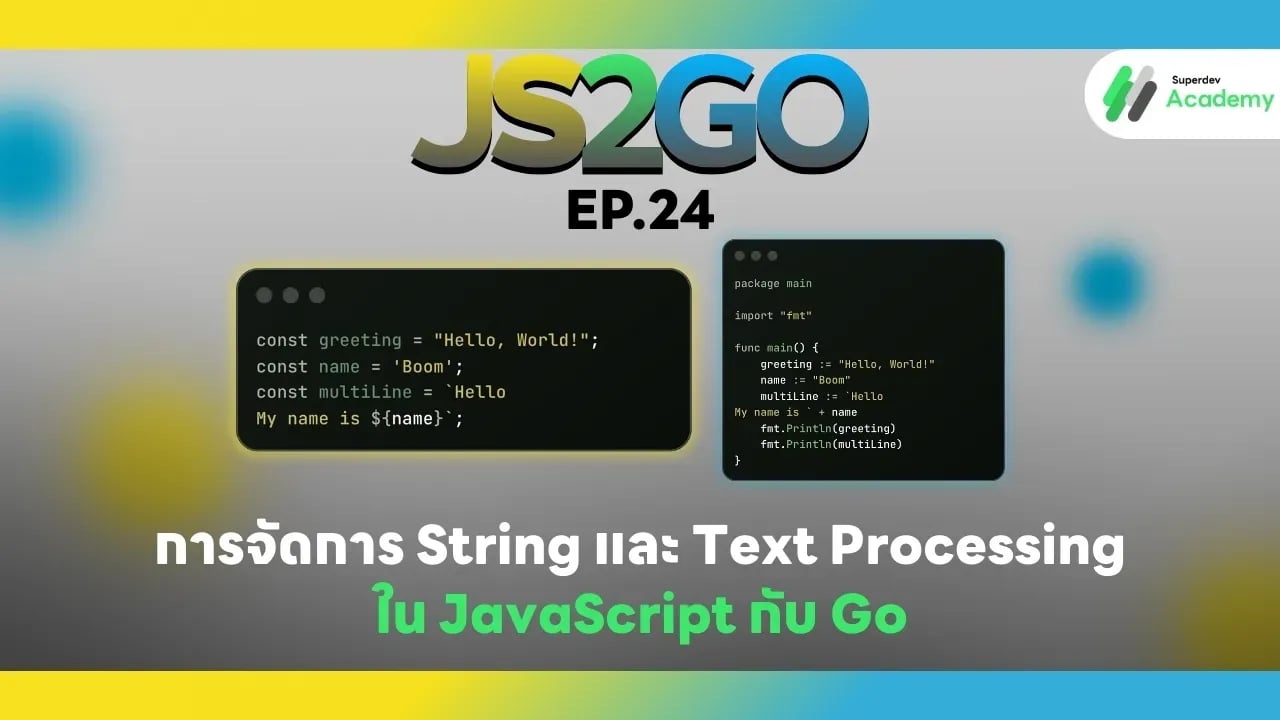
JS2GO EP.24 การจัดการ String และ Text Processing ใน JavaScript กับ Go
#JavaScript
#Go
#JS2GO
#JavaScript vs Go
#JavaScript String
#Go String
การจัดการข้อความ (String) เป็นพื้นฐานสำคัญในทุกภาษาโปรแกรม ไม่ว่าจะเป็นการแสดงผลข้อมูล, การค้นหา, การปรับแต่งข้อความ หรือการประมวลผลไฟล์ข้อความ การเข้าใจวิธีจัดการ String และ Text Processing ใน JavaScript และ Go จะช่วยให้คุณเขียนโปรแกรมได้อย่างมีประสิทธิภาพและถูกต้อง ในบทความนี้เราจะเปรียบเทียบวิธีการสร้าง, แก้ไข, และประมวลผลข้อความ พร้อมตัวอย่างโค้ดและแนวทางปฏิบัติที่เหมาะสม
การสร้าง String
JavaScript
const greeting = "Hello, World!";
const name = 'Boom';
const multiLine = `Hello
My name is ${name}`;
Go
package main

import "fmt"

func main() {
    greeting := "Hello, World!"
    name := "Boom"
    multiLine := `Hello
My name is ` + name
    fmt.Println(greeting)
    fmt.Println(multiLine)
}
ข้อสังเกต:
- JavaScript ใช้ template literal (``) สำหรับ string แบบ multi-line และรองรับ interpolation
- Go ใช้ backtick ` สำหรับ raw string แบบ multi-line และใช้ concatenation ด้วย +
การเข้าถึงและแก้ไข String
JavaScript
const text = "JavaScript";
console.log(text[0]); // J
console.log(text.length); // 10

const upper = text.toUpperCase();
console.log(upper); // JAVASCRIPT
Go
package main

import (
    "fmt"
    "strings"
)

func main() {
    text := "GoLang"
    fmt.Println(string(text[0])) // G
    fmt.Println(len(text))        // 6
    fmt.Println(strings.ToUpper(text)) // GOLANG
}
ข้อสังเกต:
- JavaScript เข้าถึง string ได้เหมือน array ของตัวอักษร
- Go string เป็น immutable byte slice ต้องแปลงเป็น string (
string(text[0])) เมื่อแสดงตัวอักษรเดี่ยว
การรวมข้อความ (Concatenation)
JavaScript
const firstName = "Boom";
const lastName = "Supanut";
const fullName = firstName + " " + lastName;
console.log(fullName); // Boom Supanut
Go
fullName := firstName + " " + lastName
fmt.Println(fullName) // Boom Supanut
ข้อสังเกต:
- ทั้งสองภาษาสามารถใช้
+เพื่อรวม string - JavaScript สามารถใช้ template literal เพื่อ readability และลดความซับซ้อน
การตัดและแยกข้อความ
JavaScript
const sentence = "I love Go and JavaScript";
const words = sentence.split(" ");
console.log(words); // ["I", "love", "Go", "and", "JavaScript"]

const sub = sentence.substring(7, 9);
console.log(sub); // Go
Go
import "strings"

sentence := "I love Go and JavaScript"
words := strings.Split(sentence, " ")
fmt.Println(words) // [I love Go and JavaScript]

sub := sentence[7:9]
fmt.Println(sub) // Go
ข้อสังเกต:
- JavaScript ใช้
split(),substring(), หรือslice() - Go ใช้
strings.Split()และ slice ของ string[start:end]
การค้นหาและตรวจสอบข้อความ
JavaScript
const phrase = "Learning JavaScript with Go";
console.log(phrase.includes("Go")); // true
console.log(phrase.indexOf("JavaScript")); // 9
Go
import "strings"

phrase := "Learning GoLang and JavaScript"
fmt.Println(strings.Contains(phrase, "Go"))       // true
fmt.Println(strings.Index(phrase, "JavaScript")) // 16
ข้อสังเกต:
- JavaScript ใช้
includes()และindexOf() - Go ใช้
strings.Contains()และstrings.Index()
การแทนที่ข้อความ (Replace)
JavaScript
const text = "I like JavaScript";
const newText = text.replace("JavaScript", "Go");
console.log(newText); // I like Go
Go
newText := strings.Replace(text, "JavaScript", "Go", 1)
fmt.Println(newText) // I like Go
ข้อสังเกต:
- JavaScript ใช้
replace() - Go ใช้
strings.Replace()และกำหนดจำนวนครั้งที่ต้องการแทนที่
การแปลงข้อความเป็นตัวพิมพ์ใหญ่/เล็ก
JavaScript
const text = "hello world";
console.log(text.toUpperCase()); // HELLO WORLD
console.log(text.toLowerCase()); // hello world
Go
fmt.Println(strings.ToUpper(text)) // HELLO WORLD
fmt.Println(strings.ToLower(text)) // hello world
แนวทางปฏิบัติที่เหมาะสม
✔️ ใช้ built-in string functions ให้เต็มที่
✔️ ใช้ template literals / raw strings สำหรับ readability
✔️ สำหรับข้อความใหญ่หรือประมวลผลบ่อย → พิจารณาใช้ StringBuilder (Go: strings.Builder)
✔️ ตรวจสอบ encoding หากใช้งาน Unicode / multi-byte characters
✔️ ใช้ unit test ตรวจสอบผลลัพธ์ของ text processing
สรุปเปรียบเทียบ String & Text Processing
| Feature | JavaScript | Go |
|---|---|---|
| Object | String | string (immutable) |
| Multi-line | Template literal `` | Raw string `` |
| Concatenate | + หรือ template literal | + หรือ strings.Builder |
| Split | split() | strings.Split() |
| Substring | substring() / slice() | slice [start:end] |
| Search | includes(), indexOf() | strings.Contains(), strings.Index() |
| Replace | replace() | strings.Replace() |
| Upper/Lower | toUpperCase(), toLowerCase() | strings.ToUpper(), strings.ToLower() |
คำแนะนำ:
- Frontend / Web App → JavaScript string + template literals
- Backend / CLI / Server → Go string + strings package สำหรับประสิทธิภาพและ type-safe
ตอนต่อไป
ใน EP.25 ของซีรีส์ JS2GO เราจะพาคุณไปเรียนรู้ การใช้งาน Regular Expressions ใน JavaScript และ Go เพื่อจัดการ pattern ของข้อความ และทำงานกับ text processing อย่างมืออาชีพ
อ่านบทความ Series อื่นๆ
🔵 Facebook: https://www.facebook.com/superdev.academy.th
🔴 YouTube : Superdev Academy
📸 Instagram: Superdev Academy
🎬 TikTok: https://www.tiktok.com/@superdevacademy?lang=th-TH
🌐 Website: https://www.superdevacademy.com/