07/06/2026 06:44am
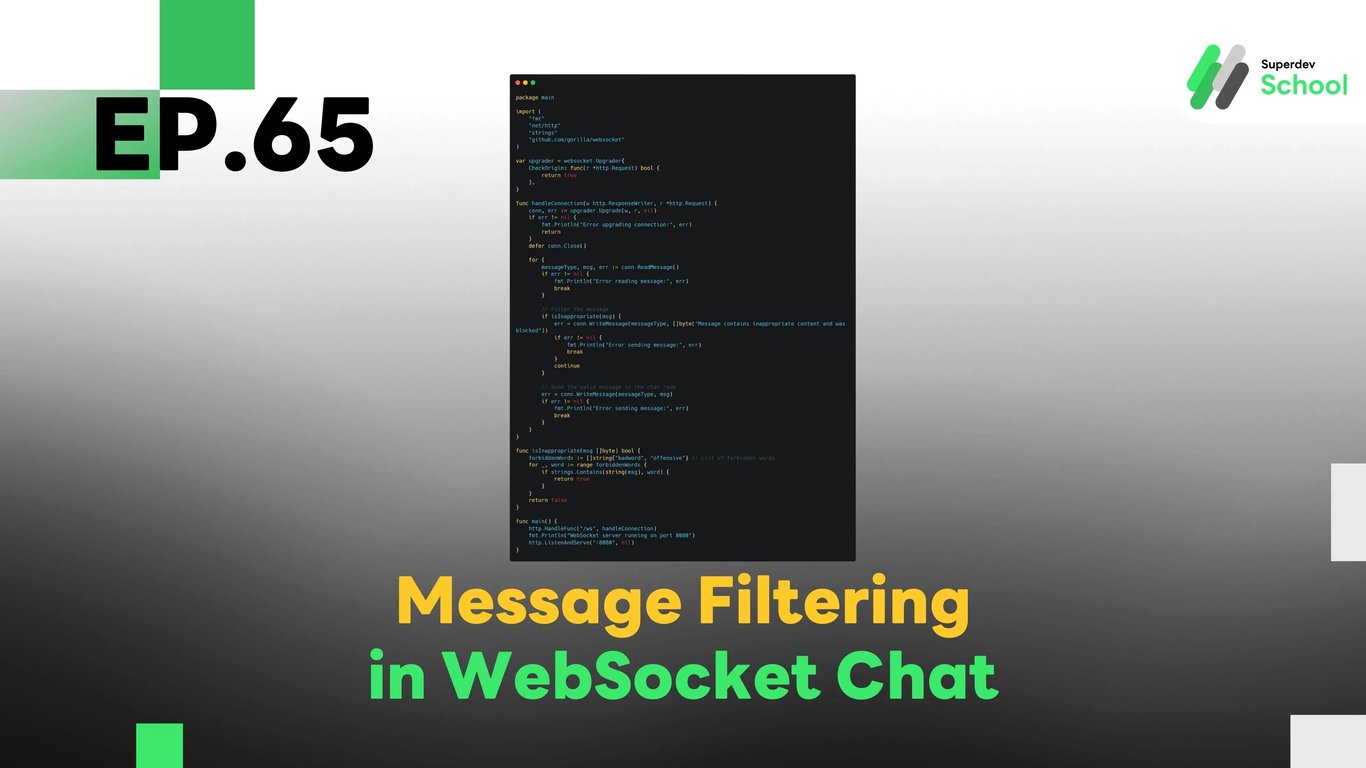
EP.65 Message Filtering in WebSocket Chat
#WebSocket message filtering
#Message filtering WebSocket
#Golang WebSocket
#Chat moderation WebSocket
#WebSocket chat security
In EP.65, we will explore how to add Message Filtering in WebSocket Chat. This system will help chat room administrators filter inappropriate messages such as offensive words, inappropriate links, or other unwanted content in real-time. It will ensure that the chat remains a safe and secure environment.
Message filtering is essential in maintaining security and order in real-time chat applications. By implementing this system, we can ensure that the content shared within the chat is appropriate for all users.
Why is Message Filtering Important in WebSocket Chat?
Message filtering helps by allowing the chat room admin to:
- Prevent inappropriate behavior: Filter out offensive language, inappropriate links, or illegal content from the chat.
- Maintain security: Prevent harmful or inappropriate messages from being sent in the chat.
- Enhance user experience: Allow users to chat without worrying about encountering inappropriate content.
Benefits of Message Filtering:
- Creates a safe chat environment: Filters out unwanted or inappropriate content from the chat.
- Improves user experience: Ensures that users can chat safely without being exposed to offensive messages.
- Gives the admin more control: Admins can easily moderate and manage the content within the chat.
Structure of Message Filtering in WebSocket Chat
Message filtering in WebSocket Chat works by checking incoming messages before they are sent to the chat room. If the message violates the defined rules, the system will reject or block it from being sent.
Key components of the message filtering system:
- Filtering messages before sending:
The system checks messages before sending them to the chat room. - Checking for forbidden words:
The system checks for inappropriate words or content using predefined rules or a database of banned words. - Sending a notification to the user:
When a message is filtered, the system will notify the user that the message could not be sent due to its inappropriate content.
Implementing Message Filtering Features in WebSocket Server
To add the message filtering feature in the WebSocket Server, we need to implement a function that checks incoming messages and either accepts or rejects them based on predefined conditions.
Steps to implement:
- Update WebSocket Server:
- Add a function to check each message before it is sent to the chat room.
- Add filtering for forbidden words or inappropriate content:
- Use regex or a list of banned words to check each message.
- Send a notification if the message is filtered:
- If the message is blocked, send a notification to the user that the message cannot be sent.
Example Code for Message Filtering in WebSocket Server
Message Filtering in WebSocket Server
package main

import (
    "fmt"
    "net/http"
    "strings"
    "github.com/gorilla/websocket"
)

var upgrader = websocket.Upgrader{
    CheckOrigin: func(r *http.Request) bool {
        return true
    },
}

func handleConnection(w http.ResponseWriter, r *http.Request) {
    conn, err := upgrader.Upgrade(w, r, nil)
    if err != nil {
        fmt.Println("Error upgrading connection:", err)
        return
    }
    defer conn.Close()

    for {
        messageType, msg, err := conn.ReadMessage()
        if err != nil {
            fmt.Println("Error reading message:", err)
            break
        }

        // Filter the message
        if isInappropriate(msg) {
            err = conn.WriteMessage(messageType, []byte("Message contains inappropriate content and was blocked"))
            if err != nil {
                fmt.Println("Error sending message:", err)
                break
            }
            continue
        }

        // Send the valid message to the chat room
        err = conn.WriteMessage(messageType, msg)
        if err != nil {
            fmt.Println("Error sending message:", err)
            break
        }
    }
}

func isInappropriate(msg []byte) bool {
    forbiddenWords := []string{"badword", "offensive"} // List of forbidden words
    for _, word := range forbiddenWords {
        if strings.Contains(string(msg), word) {
            return true
        }
    }
    return false
}

func main() {
    http.HandleFunc("/ws", handleConnection)
    fmt.Println("WebSocket server running on port 8080")
    http.ListenAndServe(":8080", nil)
}
In this example, the WebSocket server filters messages that contain forbidden words like "badword" or "offensive", and notifies the user if the message is blocked.
Testing the Message Filtering System
After implementing the message filtering feature, it’s important to test the system to ensure it works as expected.
Tests to conduct:
- Test for forbidden words:
Test the system by sending messages with banned words and verify that they are blocked. - Test the message sending:
Ensure that only valid messages pass through the filter and are sent to the chat room. - Test the user notification:
Verify that users are notified when their message is blocked due to inappropriate content.
Challenge!
Try adding custom filtering rules based on user roles. For example, allow admins to bypass the message filter, or allow certain users to use specific keywords that others cannot.
Next EP:
In EP.66, we will explore Using Golang with JSON Web Tokens (JWT) to manage authentication and user login systems, making user authentication more secure and efficient!