07/06/2026 06:44am
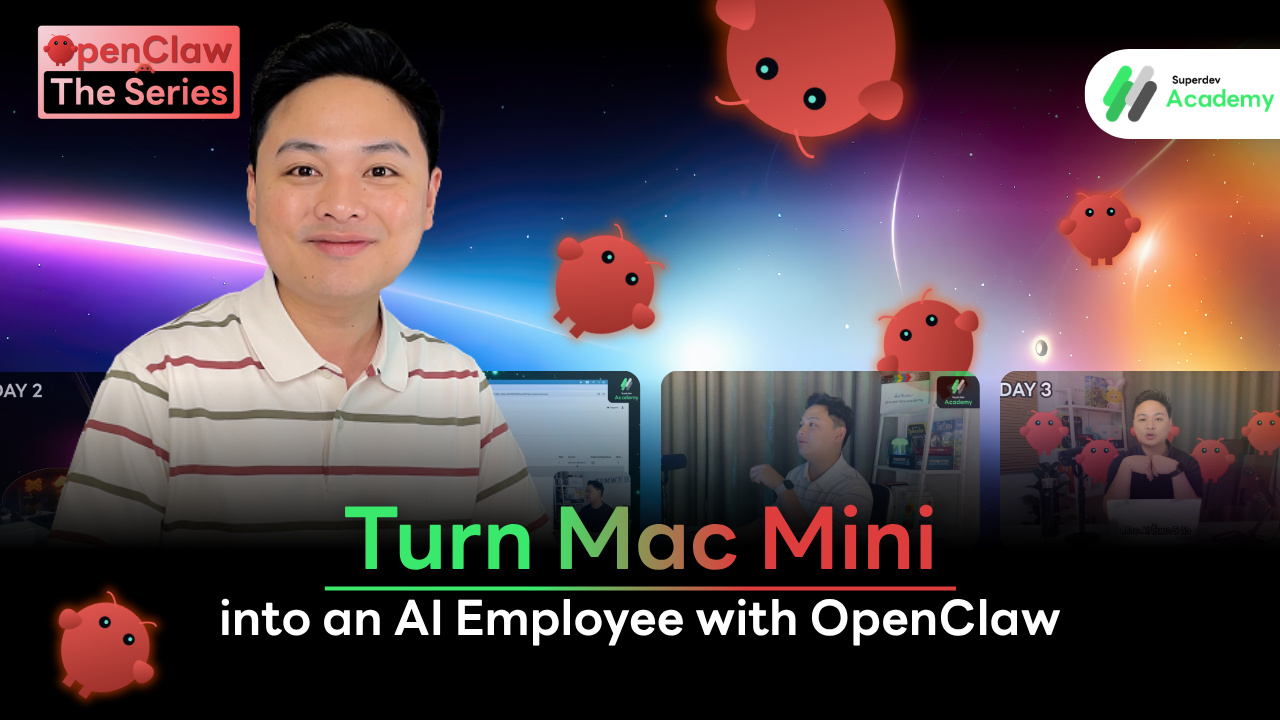
Turn Mac Mini into an AI Employee with OpenClaw | OpenClaw The Series EP.1
#OpenClaw
#AI Agent
#Mac Mini M4
#Superdev Academy
#Proactive AI
#Ollama
#OrbStack
#AI Employee
#Build AI Agent
The OpenClaw The Series project stems from P'Boom's ambition at Superdev Academy to push the boundaries of current AI Agent technology. This experimental journey begins with a strategic 35,000 THB investment in a new Mac Mini M4, serving as the core engine for building a custom "AI workforce" from the ground up.
The Origin of OpenClaw The Series
This series goes beyond a standard software review; it is a hands-on expedition to construct a functional AI ecosystem. P'Boom invites us to discover whether this 30,000+ THB investment delivers real-world value by transforming a Mac Mini into a server capable of running OpenClaw. Unlike typical tools, OpenClaw is a Proactive AI project designed to think independently and execute complex tasks on our behalf.
The "1 Computer = 1 Startup" Concept
While many view a computer as a tool for a single user, P'Boom’s vision elevates this to a professional organizational level:
Transforming the Mac Mini into a Company: Rather than treating the hardware as a mere tool, it is reimagined as a complete, self-contained startup.
Building an AI Team ("Nong Kung"): Multiple AI Agents—affectionately nicknamed "Nong Kung" (Little Shrimp) by P'Boom—are created within the system to fill various specialized roles.
Collaborative Synergy: These AI employees do not work in isolation; they communicate, exchange data, and collaborate as a unified team to complete missions and report final results.
This project marks the dawn of a Digital Workforce, set to fundamentally transform the workflow for programmers and entrepreneurs alike.
What is OpenClaw? Why Proactive AI?
Let’s get to know the heart of this project: OpenClaw, an AI project designed to transcend the limitations of conventional AI as we know it.
Definition of OpenClaw: Proactive AI like Jarvis
P'Boom explains that OpenClaw is an AI project that operates in a "Proactive" manner, a concept that carries a very significant meaning:
Like Jarvis in Iron Man: If you have seen the Iron Man films, Tony Stark gives Jarvis a single command, and Jarvis handles the rest of the work independently.
One-time Command: The core concept of OpenClaw is that with just one instruction, it integrates the task, thinks for itself, and continues execution until the process is complete.
Reporting Results: Once the AI finishes its mission, it automatically reports the results of its work back to the user.
Differences Between OpenClaw and General AI
What sets OpenClaw apart from other AI tools like Gemini or Codex is its ability to interact with the computer system at a much deeper level:
Vision Control: OpenClaw features a capability called Vision Control, which is the ability to "see" exactly what is happening on the screen.
Real UI Control: This AI can move the mouse cursor and click into various applications as if a real employee were sitting at the desk and interacting with the screen.
Efficient Performance: Because it can perceive the user interface (UI), it allows us to fully harness the computer's performance through AI-driven control.
This ability to see and interact with the screen is precisely why P'Boom views it as a "versatile employee" rather than just a chatbot that merely answers questions.
Infrastructure and Remote Control
To transform the Mac Mini into a fully functional server, P'Boom prioritizes a robust infrastructure to ensure smooth and secure control of the "AI employees" from anywhere.
Choosing Tailscale: A Secure Virtual LAN (VPN)
After experimenting with various tools, P'Boom opted for Tailscale over the previous Cloudflare Tunnel setup for its simplicity and stability:
Virtual LAN: Tailscale creates a virtual LAN without physical cables, allowing the MacBook and Mac Mini to act as if they are on the same local network at all times.
High Security: Access is restricted solely to the account owner, making remote management exceptionally secure.
Easy and Free: Users can simply log in using a Gmail account, and the system features "Machine Name" mapping that translates names into IP addresses for effortless connectivity.
Hybrid Control: Screen Sharing and SSH
P'Boom utilizes two distinct control methods to meet different operational needs:
Screen Sharing (UI Control): For tasks requiring visual oversight of the AI employee's interface, P'Boom uses the built-in Screen Sharing tool on macOS. It has proven to be the fastest, most stable, and smoothest method for Mac-to-Mac connections.
SSH (Terminal Control): For system configurations or software installations, P'Boom uses Secure Shell (SSH) as it is faster and consumes fewer network resources than the graphical UI.
Terminal Customization with ZSH and Starship
As a programmer, terminal agility is crucial, so P'Boom customized the environment to be as intuitive as possible:
ZSH: He selected ZSH as the primary shell instead of the traditional Bash.
Starship: He installed Starship, a cross-shell prompt that makes the terminal interface aesthetically pleasing, colorful, and clearly displays system status.
Operational Efficiency: Integrated suggestions and various plugins within the terminal enable rapid command execution and server management while minimizing errors.
These fundamental setups are the heart of turning a standard Mac Mini into a "Dream Server" ready to host AI projects in the following stages.
Software Stack: The Heart of the AI Employee
Choosing the right software is the vital core that allows "AI employees" to work efficiently without over-consuming system resources. For this project, P'Boom has hand-picked professional-grade tools as follows:
OrbStack: The Faster, Lighter Alternative to Docker on Mac

For the OpenClaw deployment, P'Boom decided against installing it directly on the Root OS for security reasons, opting instead to run it through containers. The tool of choice is OrbStack:
Docker Desktop Alternative: OrbStack is a container and VM manager designed specifically for the Mac environment.
Resource Efficiency: Compared to Docker Desktop, OrbStack is significantly faster, more stable, and consumes much less power.
High Performance: It ensures that AI employees running within Docker containers operate smoothly without lagging the Mac Mini.
Ollama: Running Local Models to Stop the "Money Burn"

A major pain point for AI Agents is the massive consumption of tokens. Connecting to popular paid APIs can lead to exorbitant costs, which P'Boom solves using Ollama:
Local Model Execution: Ollama allows us to run Open Source models, like Meta's Llama, for free directly on our own hardware.
Token Savings: By running through Ollama, there are no worries about API keys or costs—no matter how hard the AI works, it won't "burn" through your budget.
Easy Installation: It can connect to OpenClaw instantly with simple commands, making the AI employee setup much more convenient.
Git & Workspace: The Backup and Security System

Since AI can create its own tools or write its own code, having a data backup system is indispensable:
SourceTree: P'Boom recommends using this tool for Git management as it provides a clear overview of the code and all various changes.
GitHub Backup: Every task performed by OpenClaw in the workspace is pushed to GitHub as both a record and a backup.
Error Prevention: If the AI makes a mistake or accidentally modifies the system until it crashes, you can immediately rollback to a previous working version.
Deploying such a solid software stack not only helps AI employees perform at their best but also saves on the budget and enhances the overall security of the system.
The First Employee: Mone
To grow a company, having a trustworthy first employee is essential. In this project, P'Boom started by creating a digital identity for AI Agent #1, named "Mone", to lay the foundation for his future digital workforce.
Establishing a Clear Digital Identity
To ensure the AI operates professionally without interfering with personal life, P'Boom established strict rules for creating their identities:
Dedicated Gmail for AI: P'Boom recommends creating a new Gmail account specifically for each AI agent directly.
Security First: Separate accounts prevent the AI from accessing your personal Apple ID or sensitive data. This reduces the risk of the AI acting unexpectedly and compromising your personal security or passwords.
Individual GitHub Accounts: Using separate accounts ensures you know exactly which AI pushed or committed code, keeping project tracking clear and organized.
Name and Birthday: To give the AI a "human" touch, P'Boom named the agent "Mone" and set a birth date in the year 2000, creating a Y2K-style employee.
The Role of "General Manager (GM)"
Mone is not just an ordinary employee; this agent is positioned as the heart of the organizational structure:
General Manager (GM): P'Boom designates Mone as the GM, the primary point of contact who will oversee other sub-employees in the future.
The Conductor Concept: Mone acts like an "orchestra conductor," coordinating different positions and instruments to work in harmony without the need for excessive verbal communication.
Reducing the CEO's Burden: Instead of P'Boom (the CEO) managing every minor detail with every sub-employee, he communicates solely with Mone. Mone then handles the delegation and executes the plan until the work is complete.
Having Mone as the central hub ensures that expanding the AI team in the future is systematic and highly efficient.
FAQ: Deep Dive into Building AI Employees with OpenClaw
Q: What is OpenClaw and how does it work?
A: OpenClaw is an AI project in the form of a Proactive Agent that does not just answer questions but can actually plan and execute tasks on your behalf. Its key feature is Vision Control, which allows the AI to "see" the computer screen, move the mouse, and click into various applications just like a human employee would. It functions similarly to Jarvis from Iron Man; you give it a command once, and it integrates the steps, thinks for itself, and completes the work before reporting back the results.
Q: Why run an AI Agent on Docker or a Container?
A: Running an AI Agent in a Docker Container (such as using Ubuntu via OrbStack) is primarily for security. Because an AI Agent with system control capabilities can make mistakes that might damage critical files or even "kill" the main operating system (OS)—which happened to P'Boom during a previous test. Running it in a container creates a Sandbox environment, preventing the AI from accessing the Root OS of the Mac directly.
Q: How can I save on Token costs when using an AI Agent long-term?
A: The most cost-effective method is using Ollama to run Open Source LLMs (such as Meta’s Llama) locally on your own machine. High-intensity AI tasks can "burn" through money quickly if connected to paid APIs because of the massive token usage. Running models locally through Ollama eliminates these API costs entirely, no matter how much the AI works.
Q: How does Tailscale differ from Cloudflare Tunnel for an AI Server?
A: Tailscale creates a virtual LAN (Private VPN) that is more stable and secure for personal remote management. It connects all your devices under a single account, allowing you to access your AI Server from anywhere as if they were on the same local network. In contrast, Cloudflare Tunnel is often used to expose local ports to the public internet, which can be less ideal for a private, secure AI workspace.
Q: Why is OrbStack better than Docker Desktop for Mac users?
A: OrbStack is a Docker Desktop alternative specifically optimized for Mac performance. It is significantly faster, more stable, and consumes fewer system resources (CPU/RAM). This allows the Mac Mini to run AI containers smoothly without unnecessary overhead or lag.
Q: How should I start building AI employees safely?
A: You should start by separating the Digital Identity of the AI from your personal information. This involves signing up for a dedicated Gmail and GitHub account for each AI Agent. This prevents the AI from accessing sensitive data like your Apple ID or personal passwords and ensures that all code commits or actions are clearly tracked to the specific AI agent responsible.
Summary and Next Steps
The journey in EP.1 is just the beginning of proving the Digital Workforce concept with an accessible budget for modern entrepreneurs.
The Value of the 35,000 THB Investment in R&D
Investing 35,000 THB in a Mac Mini M4 is not merely purchasing a new computer; it is an investment in a personal R&D lab with immense knowledge value:
Worthwhile Hardware: The Mac Mini serves as the foundation for a small Startup company capable of running multiple AI employees simultaneously on a single device.
Lessons from Mistakes: Learning that AI can "plan to wipe the server" was a crucial experience, leading to the discovery that running the system on Docker is safer than on the Root OS directly.
Long-term Budgeting: Setting up Ollama to run local models solves the problem of "money burning" from the massive API token costs incurred when AI works continuously.
Beyond-Limit Systems: It has been proven that we can build a system where AI operates proactively—thinking and doing on its own—rather than being a simple Q&A assistant.
Preview of the Next Episode
Now that the infrastructure and remote systems are complete, the real fun begins in the next episode:
Full Docker Implementation: We will create containers with the Ubuntu operating system via OrbStack to provide a safe home for AI employees.
Real-world Operations: Prepare to see the first AI employee, "Mone," start its role as the team's General Manager (GM).
AI Collaboration: In the future, we will see five AI employees communicating, dividing duties, and distributing tasks among themselves within this server.
This project demonstrates that today, a company does not always need to start with human employees; it can begin with a single computer and an understanding of the right tools.
🎯 Stay Tuned with Superdev Academy:
Don't miss out on deep-dive technical articles and updates. Follow us on all platforms:
🔵 Facebook: Superdev Academy Thailand
🎬 YouTube: Superdev Academy Channel
📸 Instagram: @superdevacademy
🎬 TikTok: @superdevacademy
🌐 Website: superdevacademy.com