18/08/2026 21:14pm

What is LAMP Stack? The Core Web Development Suite Explained
#What is LAMP Stack
#LAMP Stack
#Web Development Basics
#Linux Apache MySQL PHP
#Backend Infrastructure
#XAMPP vs LAMP
Behind every website or web application you use daily, a collection of backend tools works together seamlessly. One of the most popular and time-tested software bundles used to build websites is the LAMP Stack.
If you are just getting started with web development, this article will quickly explain what a LAMP Stack is, what components are inside, and why it remains a core foundation of the internet.
What is a "Stack"?
In software development, a Stack refers to a group of individual technologies or software programs installed and used together to make a computer system or website fully functional.
Building a website requires multiple layers of technology—from the operating system at the base to the database management system and the programming language. When these components are pre-bundled to work together perfectly, it is called a "Stack."
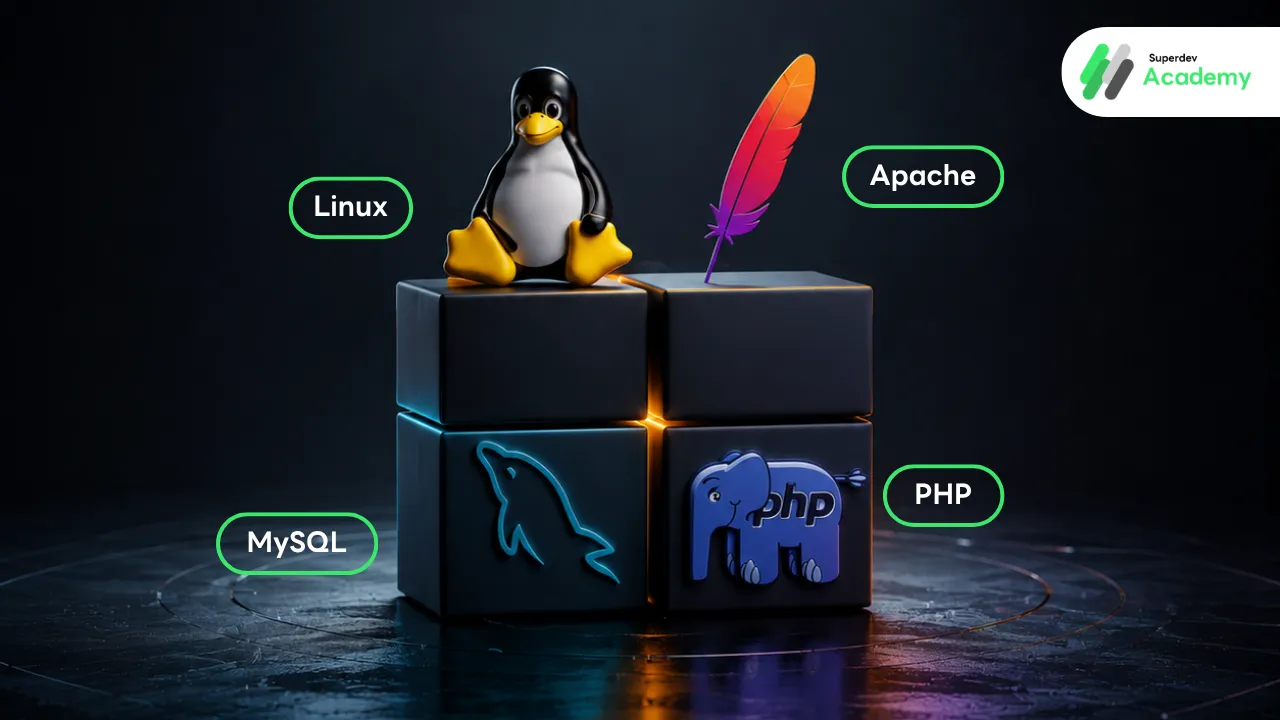
LAMP is an acronym representing the first letters of four essential open-source components:
L > Linux
A > Apache
M > MySQL
P > PHP
Each component serves a specific role, but they are all designed to integrate with one another seamlessly. Here is a breakdown of each part:
Linux: The Operating System Foundation
Linux is an operating system (OS), just like Windows or macOS. However, Linux is primarily used for servers—computers that stay powered on 24/7 to serve websites to visitors. Every other component in the LAMP Stack is installed and runs on top of this Linux operating system.
Why servers use Linux:
Free to Use: It is open-source software with no licensing fees.
Highly Stable: It can run continuously for a long time without crashing.
Secure: Its system architecture is highly secure when properly configured.
Apache: The Request-Handling Web Server
Apache is a web server software. Its job is to accept requests from users and send back the appropriate web pages.
When you type a website URL into your browser and press Enter, your browser sends a request across the internet to the server. Apache listens for these requests, processes them, and sends files like HTML pages, images, or assets back to your browser screen.
Apache is free, highly flexible, and has a massive community, making it a reliable standard for hosting websites.
MySQL: The System Database
MySQL is a Database Management System (DBMS). It stores and organizes all the data for a website so it can be searched and retrieved quickly.
Most websites need to store large amounts of data, such as user profiles, passwords, blog posts, product listings, or orders. All of this data is securely saved and managed within MySQL.
MySQL uses SQL (Structured Query Language) to communicate, allowing the system to easily add, update, delete, or fetch data.
PHP: The Processing Language
PHP is a programming language used to write the backend logic of a website. It acts as the middleman connecting the web server (Apache) and the database (MySQL).
How PHP works: When you type in your password to log in, PHP receives that data, verifies its accuracy with MySQL, and—if correct—tells Apache to generate and display the correct webpage on your screen.
PHP was built specifically for web development, making it easy to learn for beginners. It is also the core language powering WordPress, the most popular Content Management System (CMS) in the world.
How the Four Components Work Together
The main benefit of the LAMP Stack is how these four independent technologies collaborate. Here is the step-by-step process of what happens behind the scenes when a user opens a webpage:
User Request: The user types a website name into a browser and presses Enter. The browser sends a request to the server.
Web Server Receives Request: Apache, running on Linux, acts as the front gate and intercepts the request.
Forwarding to PHP: Apache sees that the page requires backend calculations (like logging in or loading products) and hands the task over to PHP.
Processing and Querying: PHP runs its code. If it needs specific data, it contacts the MySQL database.
Data Retrieval: MySQL finds the requested data in its storage and sends it back to PHP.
Assembling the Page: PHP takes the data and assembles it into a complete HTML page.
Displaying Content: PHP passes the finished HTML page back to Apache, which sends it back to the user's browser for display.
This entire sequence happens in a fraction of a second every time a page is loaded.
Why is LAMP Stack Still Popular?
Despite being developed in the late 1990s, LAMP Stack still powers a massive portion of the web today due to four key advantages:
Cost-Efficient (Open Source): All four components are 100% free, drastically lowering the cost of starting a web development project.
Massive Community Support: Because it has been around for over two decades, finding solutions to bugs or issues online is incredibly fast.
Reliable & Flexible: It is a time-tested infrastructure capable of handling everything from small personal blogs to large enterprise web apps.
Universal Hosting Support: Almost every web hosting provider in the market natively supports the LAMP configuration, making it very easy to deploy websites online.
FAQ (Frequently Asked Questions)
Is LAMP Stack still worth learning today?
Yes. Even with many new technologies available, LAMP still powers over half of the websites on the internet (including WordPress). Learning LAMP helps you understand core backend infrastructure, making it easier to pick up other modern stacks later.
What does the "P" in LAMP stand for?
Traditionally, it stands for PHP, as it was built for web development. However, due to the stack's flexibility, the "P" can also represent Python or Perl, depending on the language chosen for the project.
What is the difference between LAMP, WAMP, MAMP, and XAMPP?
The difference lies in the Operating System they run on:
LAMP: Runs on Linux (Standard for live production servers).
WAMP: Runs on Windows (Used for local development on Windows PCs).
MAMP: Runs on MacOS (Used for local development on Mac).
XAMPP: A X-platform bundle that runs on Windows, Mac, and Linux. It is widely used to set up a local development environment.
What are some modern alternatives to LAMP Stack?
Popular modern alternatives include the MERN Stack (MongoDB, Express.js, React, Node.js) and JAMstack. These options generally utilize JavaScript for both frontend and backend operations.
สรุป
LAMP Stack คือชุดเทคโนโลยีมาตรฐาน 4 ตัวที่ทำงานร่วมกันเพื่อขับเคลื่อนเว็บไซต์ ได้แก่ Linux (ระบบปฏิบัติการ), Apache (เว็บเซิร์ฟเวอร์), MySQL (ระบบจัดการฐานข้อมูล) และ PHP (ภาษาโปรแกรมมิ่ง) โดยทั้ง 4 ซอฟต์แวร์จะทำงานประสานกันเป็นวงจรแบบอัตโนมัติทุกครั้งที่มีผู้ใช้งานเปิดเข้าชมเว็บไซต์
แม้ปัจจุบันจะมี Stack ทางเลือกใหม่ ๆ เกิดขึ้นมากมายในระบบอินเทอร์เน็ต แต่ LAMP Stack ก็ยังคงเป็นจุดเริ่มต้นที่ดีที่สุดสำหรับผู้ที่ต้องการศึกษาการพัฒนาเว็บไซต์ เพราะเครื่องมือชุดนี้ช่วยให้เห็นภาพการทำงานของระบบหลังบ้านได้อย่างชัดเจน และเป็นพื้นฐานสำคัญในการต่อยอดไปสู่เทคโนโลยีอื่น ๆ ต่อไปครับ
Follow Superdev Academy on all platforms:
🔵 Facebook: Superdev Academy Thailand
🎬 YouTube: Superdev Academy Channel
📸 Instagram: @superdevacademy
🎬 TikTok: @superdevacademy
🌐 Website: superdevacademy.com